
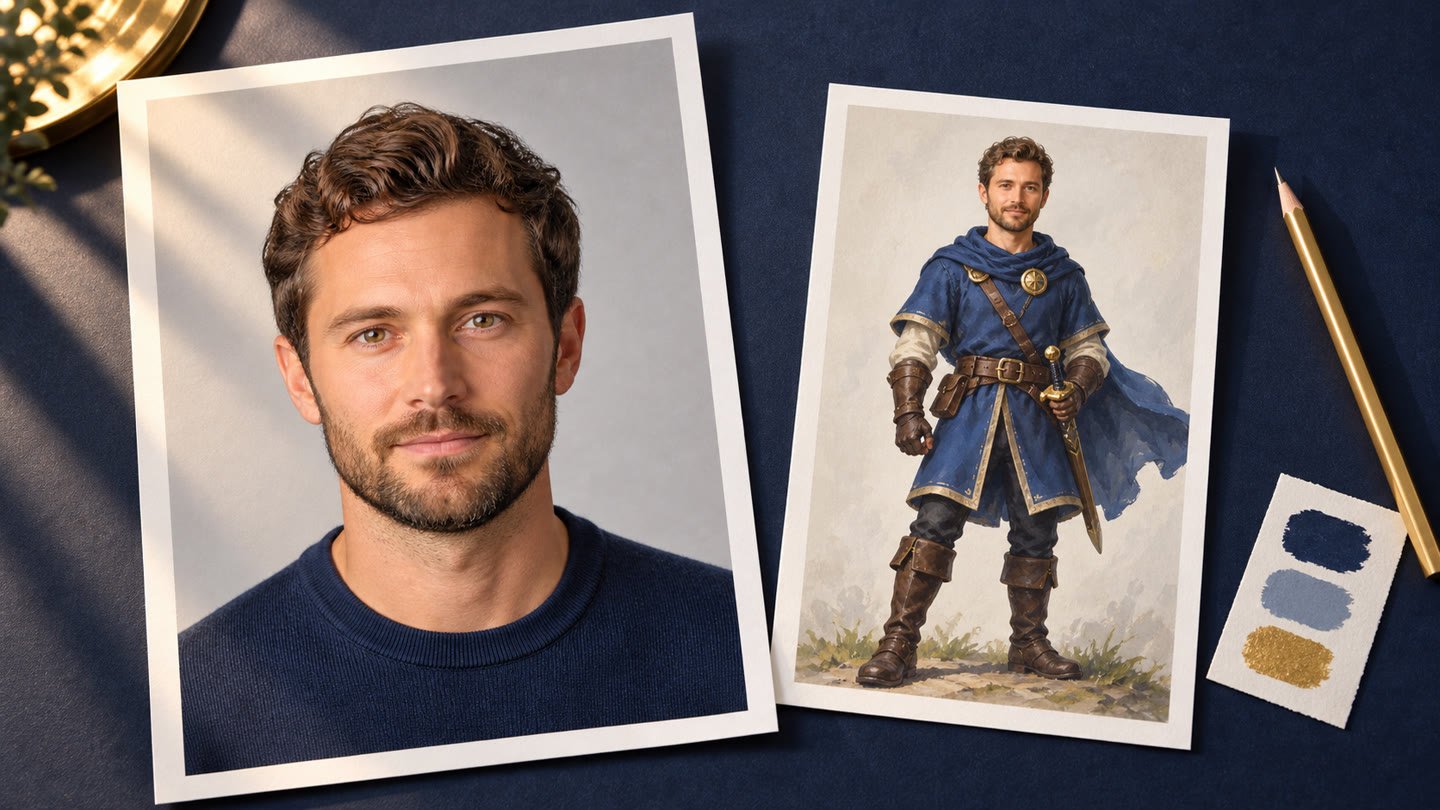
A personalised character begins with the photographs you provide. The aim is not to find the most glamorous picture. It is to give the artwork a clear, current view of the person you want the recipient to recognise.
Think of your photos as a useful introduction: their face, hairstyle and distinctive details should be easy to see. A beautiful image with a face hidden in shadow can be less helpful than an ordinary photograph taken in gentle daylight.
Make the face easy to read
Choose a recent image with a clear view of the face. Soft, even light helps show features without deep shadows. Avoid heavy filters, extreme camera angles, motion blur and objects covering the eyes or mouth.
If glasses or facial hair are part of their everyday look, keep that in mind when choosing the reference. A photograph from years ago may show a different hairstyle or beard from the person they are today.
Keep one person as the subject
A reference should make it obvious who the character is based on. A group photograph can create ambiguity, especially when faces overlap or are very small. Use a clear individual image where possible and follow the photo instructions shown in the order form.
Do not use photographs of someone you do not have permission to depict. Our demo people are fictional; customer photographs are for the personal game being ordered, not a pool of public advertising material.
Let the artwork transform the photograph
A character style changes how a person is drawn. Outlines, shading and proportions vary across the gallery. That transformation is part of the gift, so compare samples at both portrait size and the smaller in-game scale.
Choose a style because you like how it translates a face, rather than expecting every style to behave like a photographic cutout. Our art-style guide explains what to compare.
Choose surprise pictures separately
Character references and prize pictures have different jobs. The reference guides the hero's appearance. Prize pictures are the memories the recipient discovers in the reveal after level one.
For the reveal, you might choose a holiday, an achievement or a shared everyday moment. Make sure the important subject is visible on a smaller screen. You do not have to use the same image for both purposes.
Review before sending
Check that each selected file is the intended version, not a tiny messaging-app preview or an accidental duplicate. Read the upload guidance and limits in the order form. A short, careful review is easier than discovering later that the wrong picture was selected.
When the photographs are ready, start your game and follow the current order steps. Keep this guide nearby if you want a second look at your choices.